
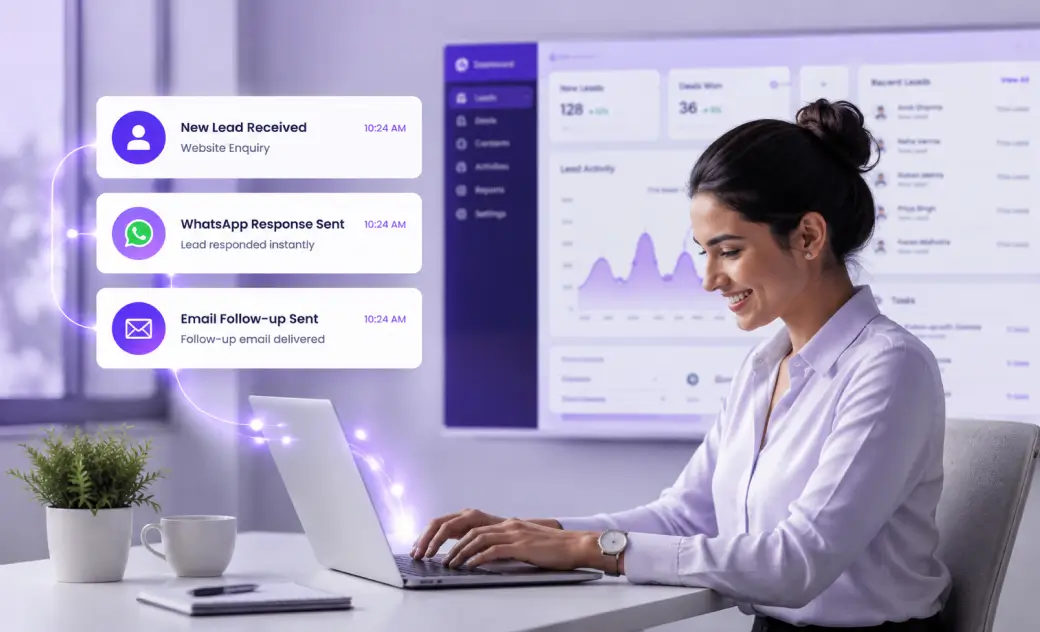
Many businesses start searching for a new CRM for one clear reason. Their team cannot respond to leads fast enough. A Pipedrive alternative with automated lead response is often the direct solution to this problem.
Manual lead management naturally creates delays. A sales rep may be busy with another call. They may be out of the office, or handling several deals at once. Each delay gives a lead more time to lose interest.
Pipeline visibility helps a team manage deals that already exist. It shows stages, values, and expected close dates clearly. It does not guarantee that a brand new lead gets a fast reply.
A CRM can look organized and still respond slowly to real enquiries. Strong reporting does not replace an actual first response. This gap is where many businesses lose leads without realising it.
This is often when a business starts researching a CRM that responds to leads instantly. It does not replace the sales team.
This article explains why speed-to-lead affects sales performance. It covers what automated lead response actually means in practice. It also outlines practical signs that a CRM is falling short.
Business owners, sales managers, and growing sales teams can all benefit from this. Any business relying on inbound enquiries, calls, or online forms needs consistent, fast follow-up.

Why Response Speed Matters More Than People Think
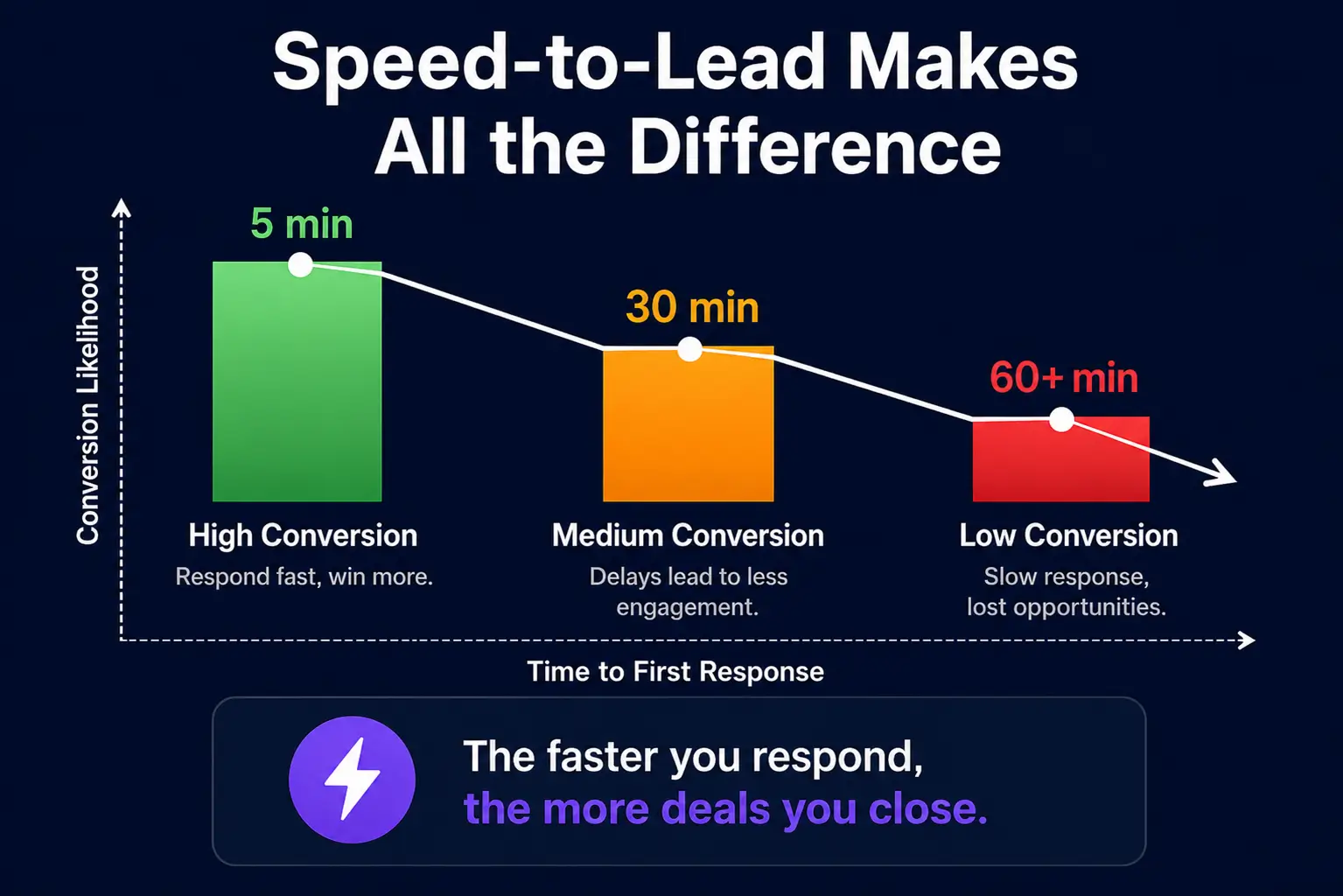
A new lead is usually most interested right after they submit an enquiry. Their attention fades the longer they wait for a reply. Quick engagement keeps that early interest alive.
Consider a simple, common scenario. A homeowner requests quotes from three local businesses at once. The first company to respond usually gets the first real conversation. The others may never get a genuine chance to compete.
When a lead waits too long, several things can happen. They may forget why they enquired in the first place. They may lose confidence in the business’s reliability. In many cases, they simply move on to another option.
Most leads do not wait passively for one company to respond. Many contact several businesses in the same category at once. Whoever engages first often shapes the rest of that decision.
Manual follow-up depends entirely on people remembering to act. A busy day, a missed notification, or a late lead can break this chain. These gaps rarely feel dramatic, so they often go unnoticed.
Sales managers frequently struggle to see these delays in real time. A lead might sit untouched for hours without triggering any alert. By the time someone reviews activity, the opportunity may already be gone. This is rarely about effort or intent, and it happens every week.
What Does “Automated Lead Response” Actually Mean?
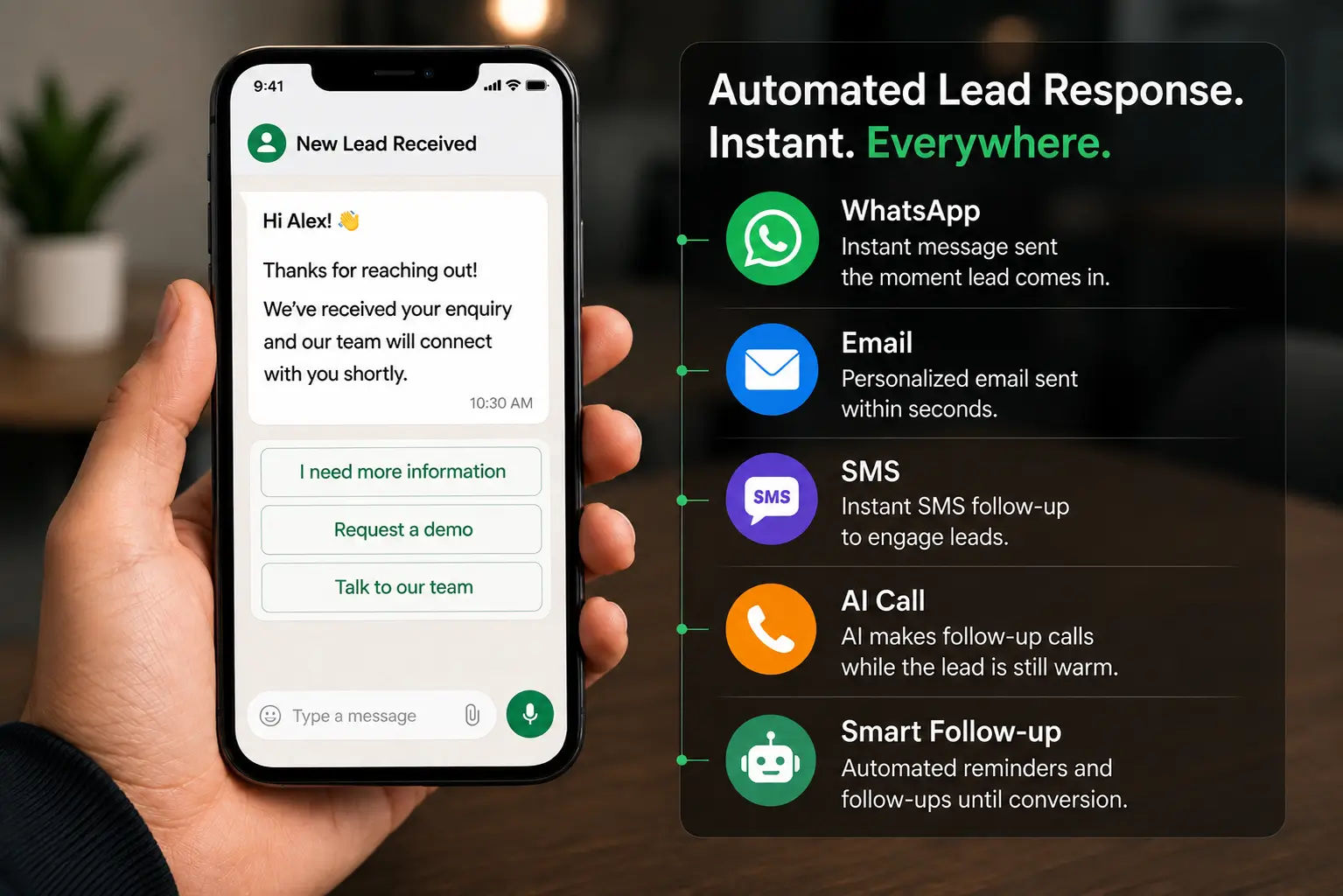
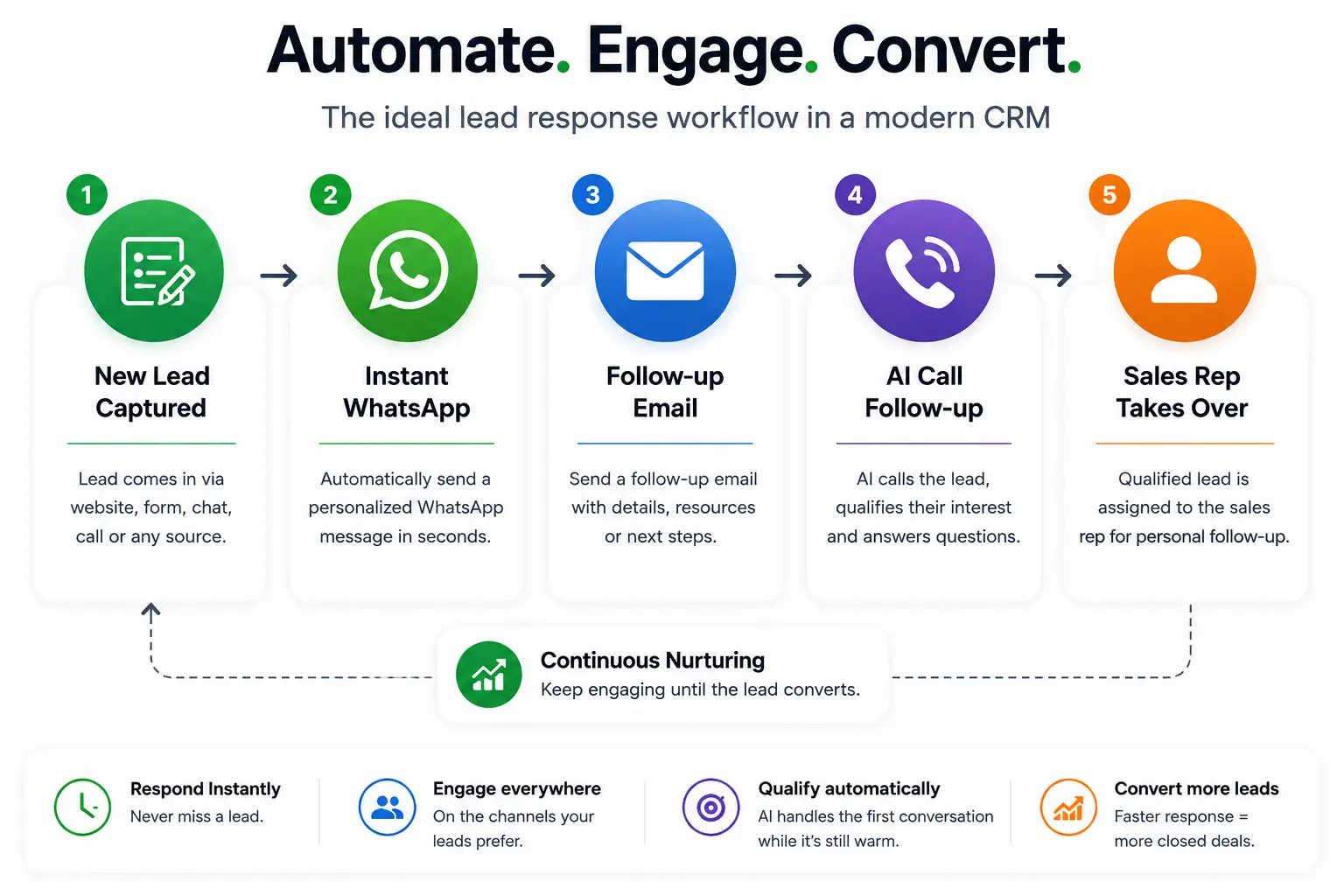
Automated lead response means a CRM contacts a new lead without waiting for a human. The system reacts the moment a lead enters, not after a rep finds time. This differs from simply logging the lead for later action.
In practice, this usually involves several channels working together:
- Instant email responses sent the moment a lead arrives.
- WhatsApp messages that continue the conversation on a channel leads already use.
- SMS follow-up for leads who respond faster to text messages.
- Automated replies outside business hours, evenings, and weekends.
- AI-assisted follow-up calls placed while the enquiry is still fresh.
- Lead qualification and routing to the right team member.
- Automated reminders and follow-up sequences if a lead goes quiet.
None of this replaces a human conversation. It simply closes the gap between enquiry and first contact. A rep can then take over once the lead is engaged.
Lead qualification and routing deserve attention too. A good system can sort enquiries by service, location, or urgency.
A traditional pipeline-focused CRM tracks deals once they enter the pipeline. It shows stages, values, and expected close dates clearly. It rarely takes independent action on a brand new lead.
A CRM that responds to leads instantly works differently by design. It treats the first few minutes after enquiry as critical. It engages the lead automatically, then hands the conversation to a human when needed.
Signs Your Current CRM Isn’t Built for Fast Lead Response
Leads Sit Untouched Outside Working Hours
Many enquiries arrive outside standard office hours. Evenings, weekends, and public holidays often bring a steady flow of new leads. Without automation, these leads simply wait until someone logs back in.
During busy periods, this problem gets worse. A flood of enquiries can overwhelm even a capable small team. Some leads inevitably wait far longer than they should, often without anyone noticing.
Follow-Up Depends on Someone Remembering
Many CRMs rely on manual tasks and reminders. A rep has to see the reminder, then choose to act on it. If they are busy, that follow-up quietly gets pushed back.
This creates inconsistent results across a sales team. One rep might follow up within minutes. Another might forget entirely, especially during a hectic or stressful week.
Messaging Tools Are Separate From the CRM
Some businesses connect their CRM to separate messaging apps. WhatsApp, SMS, and calling tools often sit outside the main system. Reps must switch between platforms just to respond to one lead.
This creates friction and slows down every single response. Conversations get scattered across different tools and devices. Important context can be lost between one platform and the next. A rep might check three separate apps just to answer one question.
Your CRM Records Activity but Doesn’t Actually Follow Up
Many CRMs log tasks and activities well. They can show that a call is due or an email is pending. Logging a task, however, is not the same as completing it.
A pipeline-focused CRM often stops at tracking activity. It does not send the message or make the call itself. The actual follow-up still depends on a person taking action.

What to Look For in a CRM With Built-In Lead Response
Before switching CRMs, it helps to know which features genuinely matter. Not every feature affects how quickly a lead actually gets contacted.
Consider evaluating the following areas closely:
- Multi-channel response across email, chat, and messaging apps.
- Email automation triggers the moment a lead is created.
- WhatsApp integration for faster, more casual conversations.
- SMS follow-up for leads who prefer text messages.
- AI-assisted calling to reach leads while enquiries are still fresh.
- Automated lead nurturing for leads who are not ready yet.
- Lead qualification to filter serious enquiries from casual browsing.
- Follow-up scheduling that runs without manual reminders.
- Centralized communication so every channel appears in one place.
- Simple workflows that a small team can manage without a developer.
- Reporting and visibility into response times and follow-up activity.
- Ease of use for non-technical sales staff.
- Scalability as enquiry volume grows over time.
A Pipedrive alternative with WhatsApp integration can help businesses whose leads prefer messaging over email. A CRM with WhatsApp and SMS lead follow-up removes the need for separate messaging software. Fewer tools usually means fewer places for a lead to fall through the cracks.
In general, the best CRM for fast lead response combines automation with genuine simplicity. Complex systems often go underused, which quietly defeats the purpose of automation. A tool your team actually uses every day beats one with a longer feature list.
If you’re comparing platforms right now, our comparison of the best Pipedrive alternatives covers more feature differences. It is a useful reference point before you commit to any single vendor.
The Hidden Cost of Stitching Multiple Tools Together
Many businesses combine several tools to cover lead response gaps. A CRM handles the pipeline. A separate app handles WhatsApp messaging. Another tool manages calling or AI-assisted follow-up.
Each additional tool adds its own subscription cost. Multiple logins also slow down daily work. Staff waste time switching between systems instead of talking to leads.
Data duplication is another common issue in stacked systems. The same lead may exist in two or three separate places. Information can fall out of sync when one tool updates and another does not.
Integrations between tools require ongoing technical maintenance. A broken integration can silently stop lead data from syncing correctly. This often goes unnoticed until a lead complains about a missed follow-up.
New staff also need training on every connected tool. More tools mean more onboarding time for every new hire. This adds an indirect cost that rarely appears on an invoice.
Perhaps the biggest challenge is overall visibility. When a lead is contacted through separate systems, it becomes hard to trace the full conversation. A manager may not know exactly where a specific exchange happened.
The cheapest individual tools do not always create the lowest total cost. Combining several platforms can cost more in time, training, and lost leads. A single connected system often reduces this hidden operational overhead.
It is worth calculating the real cost of a tool stack honestly. Add subscriptions, admin time, and training hours across a year.
How to Evaluate Automated Lead Response Before You Switch CRMs
Choosing a new CRM is easier with a clear evaluation process. Ask direct questions before committing, then confirm those answers during a trial.
Questions to Ask the Vendor
- How quickly can a new lead receive an automated response?
- Can the system respond outside business hours?
- Does it support email, WhatsApp, and SMS in one place?
- Can AI handle follow-up calls for new enquiries?
- Can automation be customized for different lead types?
- Does every interaction appear in one central location?
- Are messaging and calling features built in, or bolted on?
- Can a small team manage the system without a dedicated administrator?
- What happens when automation fails or a message is not sent?
- Can workflows be tested safely before going live?
What to Test During a Trial
- Submit a test enquiry and note the exact time.
- Measure how quickly the first response arrives.
- Test an enquiry submitted after normal business hours.
- Test WhatsApp and SMS follow-up on the same lead.
- Check how the full conversation is recorded in the system.
- Confirm whether follow-ups continue automatically without manual input.
- Try modifying a workflow to see how easy it is.
A short trial like this reveals more than any features list. It shows exactly how the system behaves with a real inquiry. Keep notes and compare results across each platform tested.
Where Zayda Fits
Zayda is one option worth considering for businesses focused on faster lead response. It is built around automated engagement rather than pipeline tracking alone.
It includes built-in instant lead responses across email, WhatsApp, and SMS. It also offers AI-assisted follow-up calls, designed to reach leads while enquiries are still fresh.
Our aim is to reduce reliance on separate messaging and calling tools. Automated lead engagement runs inside the CRM itself, rather than through a connected third-party app.
Every business has different needs, so it is worth reviewing the specifics directly. Features and setup can vary by plan.
Conclusion
A CRM can offer excellent pipeline features. Those features matter less if a new lead never gets contacted quickly. Speed-to-lead often decides whether an enquiry becomes a real conversation at all.
When evaluating a Pipedrive alternative with automated lead response, look beyond deal stages and reports. Response speed, automation, and multi-channel communication all affect real sales outcomes.
AI-assisted follow-up, ease of use, and total software cost also matter. A system that stays simple to manage gets used consistently by your team.
No single CRM suits every business or industry equally well. The right choice depends on your lead volume, channels, and team structure.
If fast, automated lead response matters to your business, it may be worth testing in practice.