

Pipedrive vs Zayda: An Honest Comparison for Small Teams
Pipedrive and Zayda both help small teams track leads and move deals through a visual pipeline. The difference is in what happens before a deal reaches the pipeline, and in how you pay.
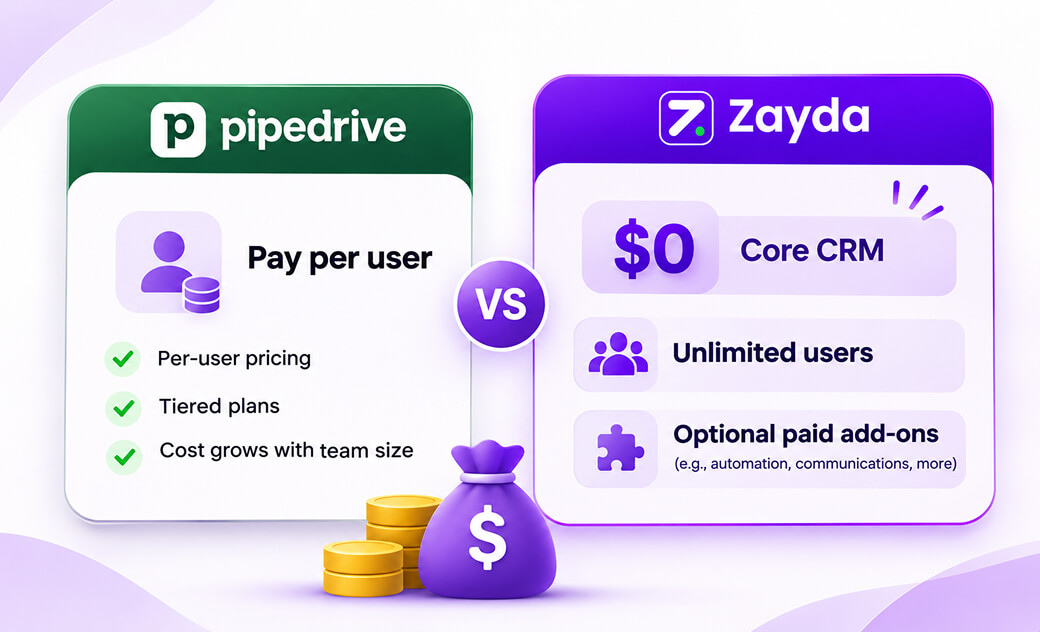
Pipedrive is a mature, pipeline-first CRM with a large app marketplace, charged per user. Zayda is a newer, AI-first CRM that replies to every new lead by email and WhatsApp within seconds, with no charge for the core product and paid add-ons only for extra features.
In short: choose Pipedrive if you need deep reporting and a wide range of integrations, and have the budget for per-seat pricing. Choose Zayda if your biggest problem is slow replies to new leads, you sell over WhatsApp, or you want to add teammates without adding cost.
Pipedrive vs Zayda at a glance
| Pipedrive | Zayda | |
|---|---|---|
| Pricing model | Per user, per month | Core CRM at $0 for every user; optional paid add-ons |
| Entry price | Lite from $14 per user per month, billed annually | $0, no credit card |
| Permanent no-cost plan | No (14-day trial) | Yes |
| Users | Paid per seat | Unlimited |
| Workflow automation | From the Growth plan upward; none on Lite | Core lead-response flows included; advanced automations as an add-on |
| Instant lead reply | Possible with automations and add-ons | Built in: email and WhatsApp replies within seconds |
| Through integrations | Native | |
| AI follow-up calls and SMS | Not a core feature | Optional add-ons |
| Integrations | Large marketplace (500+ apps) | Core set: Slack, Gmail, Google Calendar, Stripe, WhatsApp, Zapier, Zoom and more |
| Reporting | Strong, especially on higher plans | Standard reports included; custom dashboards as an add-on |
| Mobile app | iOS and Android | iOS and Android |
| Track record | Established since 2010 | Newer; 1,000+ organisations, according to Zayda |
Pipedrive pricing varies by region and billing period, and the company renamed its plans to Lite, Growth, Premium and Ultimate in 2025. Check Pipedrive’s pricing page for your country before deciding. Sources: Hackceleration, EngageBay, Zayda pricing.
Where Pipedrive is stronger
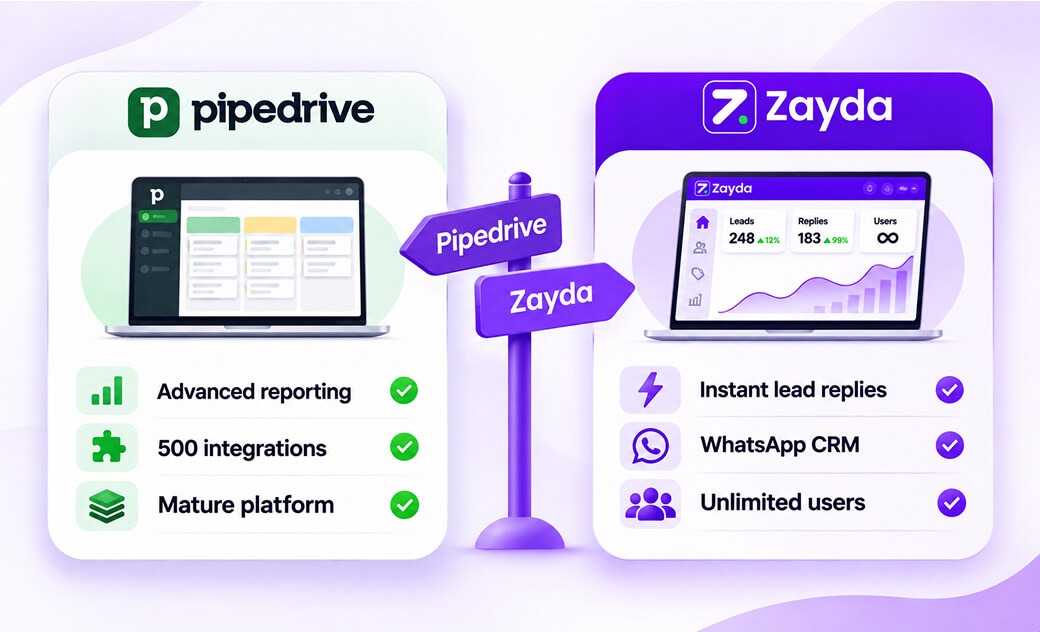
A huge integration marketplace. Pipedrive connects to hundreds of apps out of the box, from accounting tools to niche lead-generation services. If your workflow depends on a specialist app, Pipedrive is more likely to support it directly.
Mature reporting and forecasting. On its higher plans, Pipedrive offers detailed sales reports, revenue forecasts and goal tracking that larger sales teams rely on.
A long track record. Pipedrive has been around since 2010. That means plenty of tutorials, consultants who know it well, and an active user community when you get stuck.
A polished, focused pipeline view. Pipedrive was built around the drag-and-drop pipeline, and it shows. Many sales managers find it the most intuitive way to see every deal at once.
Where Zayda is stronger
Every new lead gets an instant reply. This is the core of Zayda. When someone fills in a form or messages you, Zayda answers by email and WhatsApp within seconds, and can follow up with an SMS or AI phone call if you switch those add-ons on. In Pipedrive, you usually build this yourself with automations, add-ons or third-party tools. Speed matters: our guide to lead response time explains why the first hour decides so many deals.
No per-seat cost for the core CRM. You can add your whole team, including part-time staff and assistants, without the bill growing. With Pipedrive, every extra login is another monthly fee.
WhatsApp built in. For businesses in the Middle East, South Asia, Europe and Latin America, where customers often prefer WhatsApp to email, Zayda’s native WhatsApp CRM features save a lot of copying between apps.
Pipelines that update themselves. Calls, emails and messages log against the right contact automatically, and Zoom, Teams and Google Meet calls can be summarised into the deal with the meeting-summaries add-on.
Help with switching. Zayda imports Pipedrive data and offers migration support at no extra cost, so you don’t have to rebuild your pipeline from scratch.
Where Zayda falls short
To be fair, Zayda’s integration list is much shorter than Pipedrive’s, and some advanced features, such as custom dashboards and open API access, are paid add-ons. As a younger product, it also has a smaller community and fewer third-party guides. If any of those matter to you, weigh them carefully.
What a 5-person team would pay
Here is a simple yearly comparison for a team of five salespeople, using annual billing.
| Setup | Yearly cost for 5 users | What you get |
|---|---|---|
| Pipedrive Lite ($14 per user per month) | About $840 | Pipeline and contacts; no workflow automation |
| Pipedrive Growth (listed at roughly $24 to $39 per user per month, depending on source and region) | About $1,440 to $2,340 | Adds email sync and automations |
| Zayda core CRM | $0 | Unlimited users, pipelines, email and WhatsApp lead response, standard reports |
| Zayda with add-ons | Depends on add-ons chosen | AI calls, SMS, meeting summaries, advanced automation or custom dashboards, as needed |
Two things are worth noting. First, Pipedrive’s cost grows with every person you hire, while Zayda’s core cost stays flat. Second, both tools charge for extras: Pipedrive sells add-ons such as lead-generation and document tools on top of its plans, and Zayda charges for its optional features. Check current add-on prices on Zayda’s pricing page and Pipedrive’s before you compare totals.
For a broader look at how per-seat pricing and plan limits add up over time, see our guide to hidden CRM costs.
Which should you choose?
Pipedrive is likely the better fit if:
- You rely on several specialist apps that need direct integrations
- You need advanced forecasting and detailed sales reports today
- Your sales team is established, and per-seat pricing fits your budget
- You want a tool with a long track record and a large consultant network
Zayda is likely the better fit if:
- New leads often wait hours for a first reply
- Many of your customers contact you on WhatsApp
- You want to add teammates without the bill growing
- You’re moving from spreadsheets and want something simple to start with
- You’d like AI to handle first replies and follow-ups, with your team stepping in when it matters
If you’re unsure, run both side by side for a week with the same 50 real leads. Our guide to choosing a CRM for your small business includes a scoring sheet you can use.
How to switch from Pipedrive to Zayda
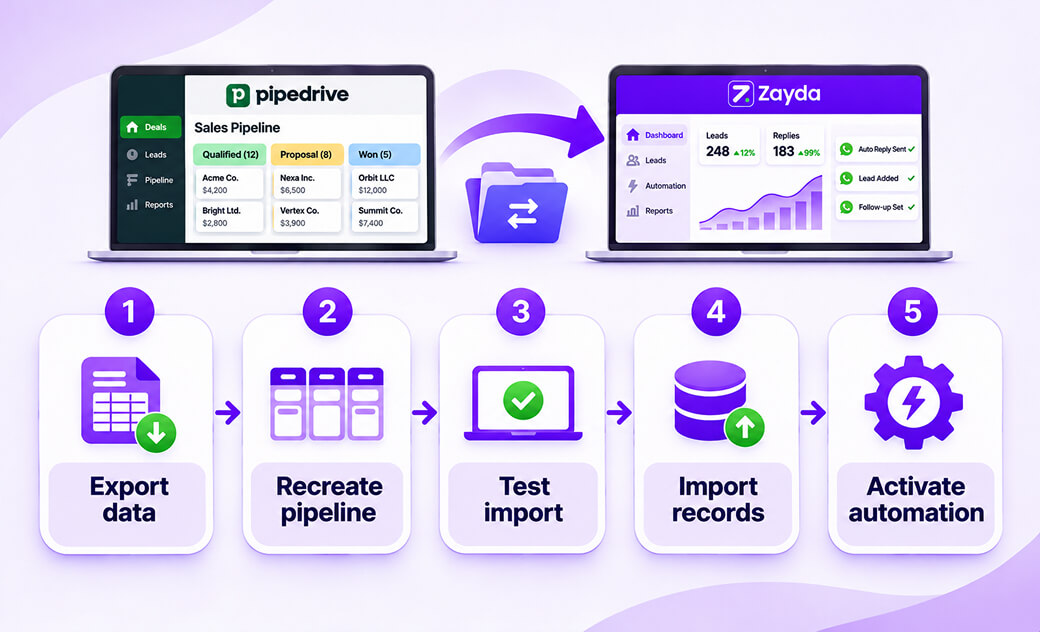
- Export your data from Pipedrive. Download your contacts, organisations, deals and activities as CSV files from Pipedrive’s export settings.
- Recreate your pipeline stages in Zayda, so imported deals land in the right place.
- Import a small test batch of 20 to 50 records and check that names, values, stages and owners map correctly.
- Import the rest, then connect your website forms, email and WhatsApp so new leads flow straight in.
- Set up your instant replies: the tone, script and hand-off rules for new leads.
Zayda’s team can help with each step. Our spreadsheet-to-CRM migration guide also covers cleaning data before import, and the Pipedrive alternative page has more detail on switching.
Frequently asked questions
Is Zayda a good Pipedrive alternative?
For small teams that want instant lead replies, WhatsApp built in and no per-seat cost for the core CRM, yes. Teams that depend on a wide integration marketplace or advanced forecasting may be better served staying with Pipedrive.
Does Pipedrive have a no-cost plan?
No. Pipedrive offers a 14-day trial, after which you choose a paid plan. Its entry plan, Lite, starts at $14 per user per month when billed annually.
Can I import my Pipedrive data into Zayda?
Yes. Zayda supports importing contacts, deals and history from Pipedrive, and its team offers migration help.
Will I lose my deal history if I switch?
Not if you export activities and notes along with your deals. Keep a copy of your Pipedrive export as a backup until you’ve checked everything in Zayda.
Can I use Zayda and Pipedrive together?
You could, but running two CRMs usually leads to duplicate data and confusion. Most teams test both for a short period, then commit to one.
Thinking about switching? Create your Zayda account and import your Pipedrive data, or talk to the team about migration.