

Your customers are already on WhatsApp. Meta said in April 2025 that more than 3 billion people use it every month, and in much of the Middle East, South Asia, Europe, Africa and Latin America, it’s the first place people go to ask a business a question.
That’s good news for sales, but it creates a problem. Enquiries arrive on whichever phone happens to have the business number. They get buried under personal chats, follow-ups rely on someone’s memory, and nobody can see the full picture of who’s interested in what.
A WhatsApp CRM connects your business WhatsApp number to a shared lead management system. Below are eight concrete benefits for a small sales team, followed by an honest look at when you might not need one yet. If you’re new to the topic, our guide to setting up a WhatsApp CRM covers the basics and costs.
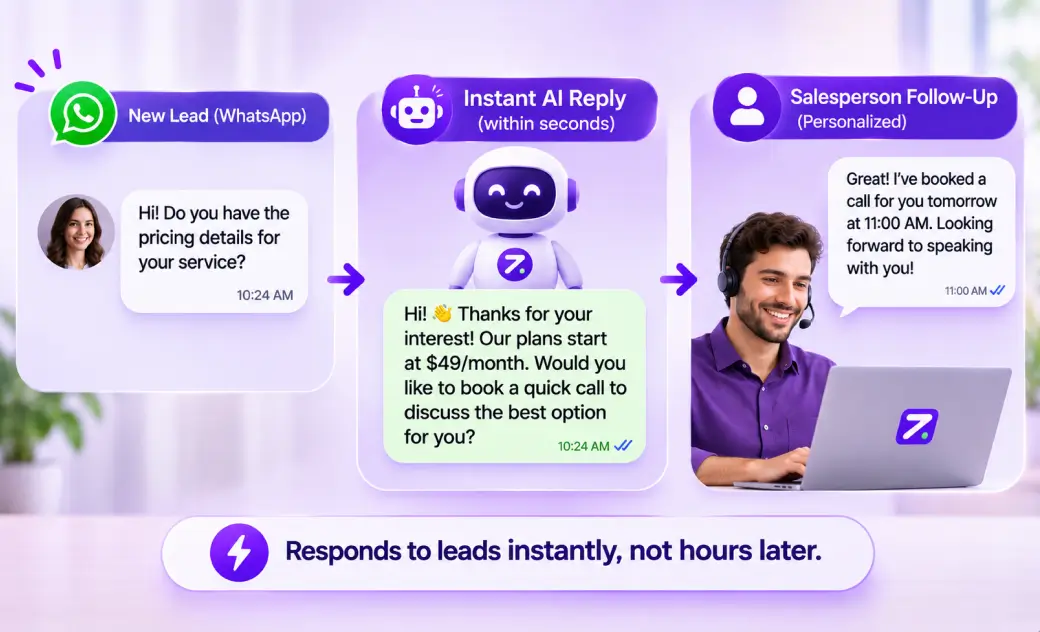
1. You reply to new leads in seconds, not hours
People message a business on WhatsApp because they expect a quick answer. If the reply comes the next morning, they’ve often already spoken to a competitor.
A WhatsApp CRM can send an instant, helpful first reply the moment a lead arrives, day or night, then alert the right salesperson to take over. In a well-known Harvard Business Review study, firms that contacted leads within an hour were nearly seven times as likely to qualify them as firms that waited longer. Our article on lead response time covers that research in more detail.
In practice: a customer asks about a price at 10pm. They get a polite reply with a price range and a booking link straight away, and your rep follows up first thing in the morning with the full context.
2. No lead gets lost in a personal phone
When WhatsApp sales run on personal phones, leads disappear in ordinary ways: a chat scrolls out of view, a phone is replaced, or a message is read and forgotten.
A CRM captures every new WhatsApp conversation as a lead record the moment it arrives. Even if nobody replies immediately, the lead sits in a list that someone is responsible for clearing. Nothing depends on remembering to scroll back.
3. Your whole team works from one number
Without a CRM, one WhatsApp number usually means one person holding the phone. That person becomes a bottleneck, and customers wait when they’re busy, on leave or off shift.
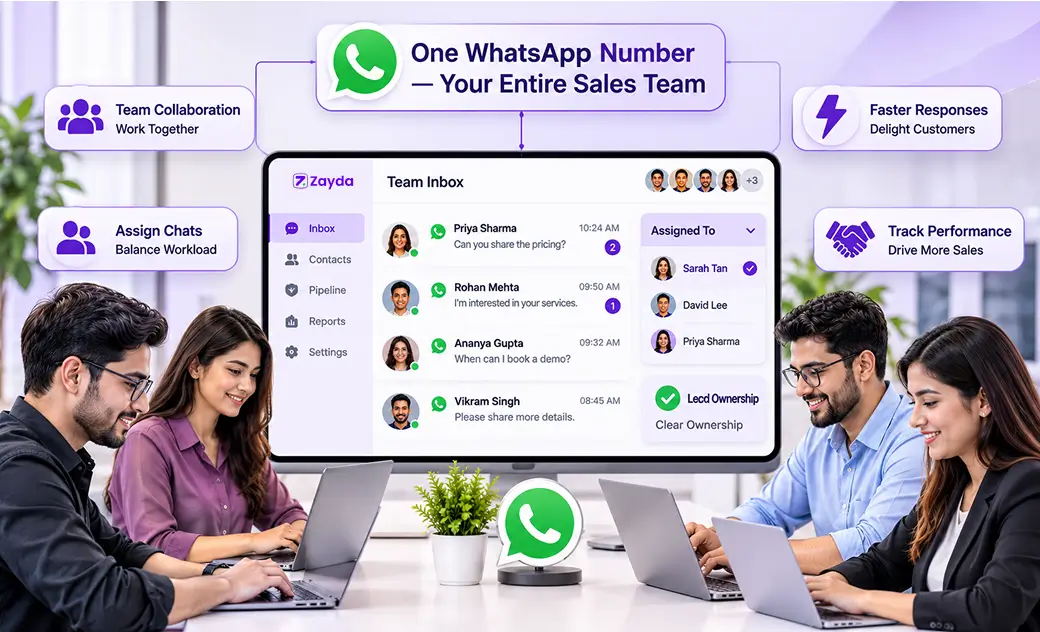
With a WhatsApp CRM, several people can reply from the same business number through a shared inbox. Each conversation has an owner, so two people never answer the same customer, and a manager can reassign chats when someone is away.
In practice: a real estate agency gets enquiries about different areas. The CRM routes each chat to the agent who covers that area, and the customer always sees one consistent business number.
4. Your pipeline updates itself
Copying details from WhatsApp into a spreadsheet or CRM is slow and easy to skip. When it’s skipped, your pipeline stops reflecting reality.
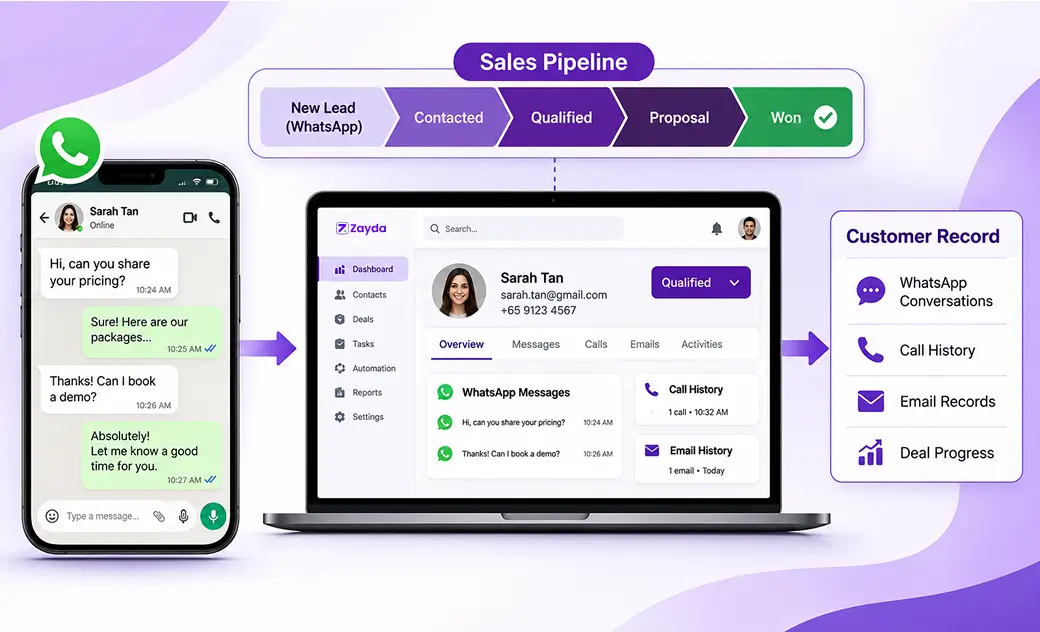
A WhatsApp CRM turns each enquiry into a deal automatically and logs every message against it. As the conversation progresses, you move the deal through stages such as Enquiry, Quote sent and Won, with the full chat attached. Managers can see real pipeline numbers without chasing the team for updates.
5. You see the full customer history in one place
Customers rarely stick to one channel. They might fill in a website form, send an email with questions and then confirm on WhatsApp. When those conversations live in different apps, your team works with half the story.
A CRM brings WhatsApp chats, emails, calls and notes together on one timeline per contact. Anyone picking up the conversation can see what was promised, what was quoted and what the customer cares about, so the customer never has to repeat themselves.
6. Follow-ups happen on time, every time
Most leads don’t buy after the first message. They need a reminder, an answer to a second question or a nudge after a quote. Without a system, these follow-ups depend on memory and often slip.
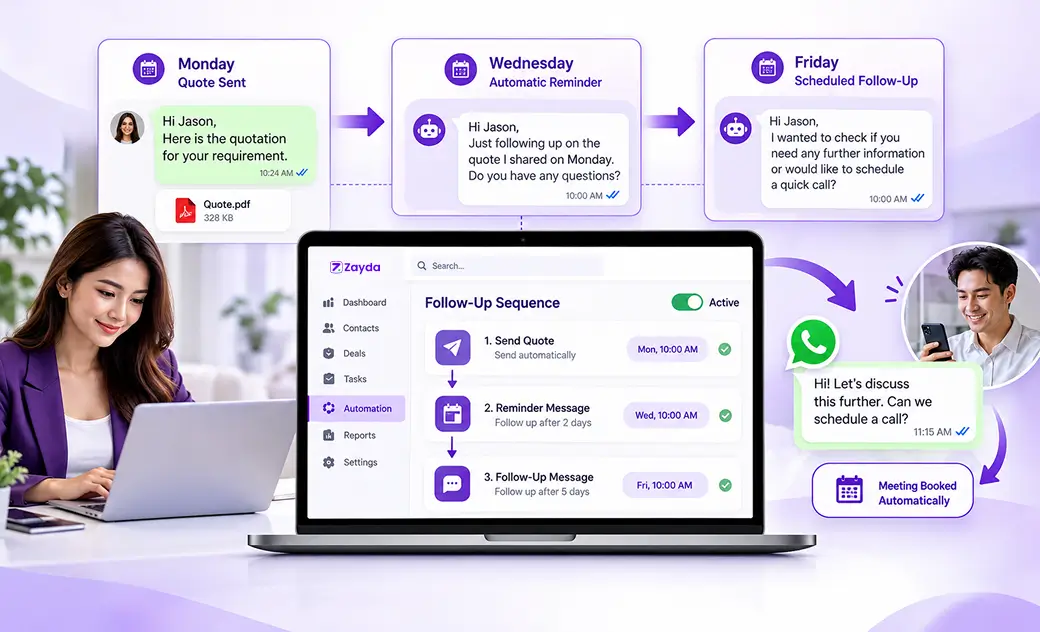
A WhatsApp CRM lets you set reminders, schedule follow-up messages using approved templates, and see a daily list of chats waiting for a reply. Some tools can also follow up automatically if a lead goes quiet, for example with a friendly check-in after two days.
In practice: a training institute sends course details on Monday. On Wednesday, the CRM reminds the advisor to check in, and the message goes out from a saved template in one tap.
7. You can measure what’s working
It’s hard to improve WhatsApp sales if you can’t measure them. Which ads bring the most WhatsApp enquiries? How long does your team take to reply? Which salesperson converts best?
Because every chat is logged, a WhatsApp CRM can report on numbers such as:
- New WhatsApp leads per day or week, and where they came from
- Average first-response time
- Conversations handled per person
- Deals won from WhatsApp, and their total value
These numbers help you put your budget into the channels that bring paying customers, and spot problems early.
8. Customer conversations stay with the business
When a salesperson leaves and the customer chats were on their personal phone, those relationships can leave with them. That’s a real risk for any business where a few people handle most of the sales.
With a WhatsApp CRM, conversations belong to the business number and are stored in your CRM. You control who can see which chats through roles and permissions, and a new team member can take over a customer with the full history in front of them. It also makes it easier to manage customer data responsibly, since you know where it’s stored and who can access it.
When a WhatsApp CRM may not be worth it yet
A WhatsApp CRM isn’t the right move for every business today. You can probably wait if:
- You’re a solo owner handling a handful of WhatsApp enquiries a week, and none slip through.
- Almost all your leads come by email or phone, and WhatsApp is rarely used.
- You only use WhatsApp for a few existing clients, not for new leads.
In these cases, the WhatsApp Business app’s labels and quick replies may be enough for now. Revisit the decision when enquiries grow, a second person starts handling sales, or you notice leads going unanswered.
Also keep running costs in mind. CRMs connect through the WhatsApp Business Platform, where Meta charges per delivered message depending on message type and country. For most small businesses these fees are modest, but they’re worth planning for.
How to get started
- Count your WhatsApp leads for one week and note how long each took to get a reply.
- Pick a CRM with native WhatsApp support, not just a click-to-chat button.
- Connect a dedicated business number rather than a personal one.
- Write your instant reply and set up simple pipeline stages.
- Add your team, assign chats and turn on mobile alerts.
- Review your numbers after a month: response time, leads captured and deals won.
Our WhatsApp CRM setup guide walks through each step, including message etiquette and consent.
How Zayda helps
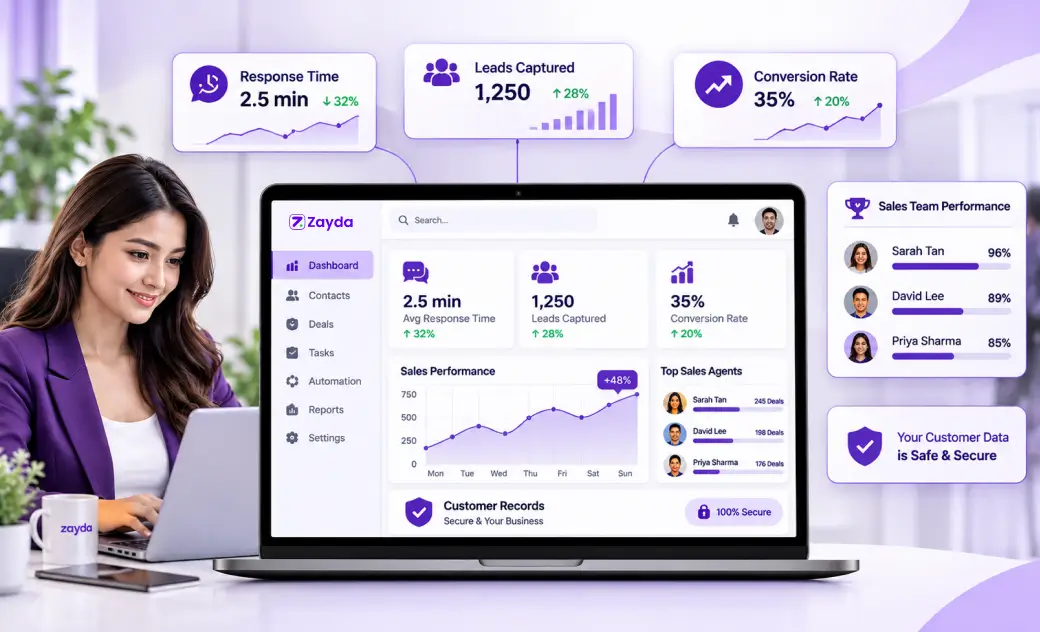
Zayda includes WhatsApp lead response in its core CRM, with unlimited users and records and no software fee. New leads get a reply on WhatsApp and email within seconds, every conversation is logged on the contact’s timeline, and your pipeline updates as chats come in. Optional add-ons such as SMS auto-response and AI follow-up calls cover leads who don’t reply on WhatsApp. See the WhatsApp CRM page for details.
Frequently asked questions
What is a WhatsApp CRM?
A WhatsApp CRM is customer relationship management software connected to your business WhatsApp number. It logs chats against contacts, turns enquiries into deals and lets a team share one number.
Is a WhatsApp CRM only useful for large businesses?
No. Small teams often gain the most, because a few missed WhatsApp leads a week can make a noticeable difference to their revenue.
Which industries benefit most?
Any business where customers like to chat before buying, including real estate, education and training, clinics, travel, insurance, recruitment, home services and ecommerce.
Can a WhatsApp CRM send bulk messages?
Most can send approved template messages to many contacts, but only to people who have opted in. Sending unsolicited bulk messages breaks WhatsApp’s policies and can get your number restricted.
Do I still need email if I use a WhatsApp CRM?
Yes, for most businesses. Email remains important for quotes, contracts and formal communication. A good CRM keeps both channels on the same customer timeline.
Want to stop losing WhatsApp leads? Create your Zayda account and connect your business number today.