

The Shift From CRMs You Fill In to CRMs That Fill Themselves
A CRM is only as effective as the information you feed it. Think about your typical workflow: after hanging up, you rush to log the key points, move the deal forward, and schedule a follow-up while the conversation is still fresh. But this hurried post-call scramble isn’t true relationship management; it’s essentially administrative paperwork that just happens to live inside a CRM.
A newer kind of platform works differently. Instead of waiting for someone to type in what happened, an AI CRM listens to calls and reads emails. It updates records on its own. The salesperson still leads the conversation; the software just stops making them repeat it in writing afterward.
This shift changes what CRM software is actually for. It stops being a system employees have to feed and becomes one that keeps up with them. This article looks at why manual entry became the default. It explains what changes when automation takes over, and what to check before choosing a CRM built around it.
Why Traditional CRMs Depend on Manual Input
Most CRMs were designed around a simple assumption: the salesperson will type in what happened. Every field only fills in if someone stops to fill it in.
That assumption creates predictable friction. After a call, a rep has to reconstruct the conversation from memory. After a meeting, someone has to write up notes before they forget the details. After a lead comes in, someone has to log it before it goes cold.
In practice, this leads to a familiar set of problems:
- Incomplete records, because reps skip fields when they are busy
- Delayed updates, since data entry gets pushed to the end of the day
- Forgotten follow-ups, when reminders are never set
- Duplicate work, from re-entering the same details across tools
- Inconsistent data, because different reps log things differently
- A heavy administrative workload that eats into selling time
- Low CRM adoption, since reps see the tool as extra work
For growing teams, this workload multiplies with every new hire, and adoption often drops as a result.
None of this means manual input is useless. Reps often need to add context a system cannot infer on its own. The problem is when every update depends entirely on someone remembering to make it.

What Does an AI CRM Actually Do?
An AI CRM is a customer relationship management system built to automate parts of the sales process. It can handle tasks that once required manual entry. That includes capturing lead details, summarising conversations, and updating records after a call.
There is a difference between a CRM with AI features and one built around automation from the ground up. Many established platforms have added AI tools on top of an existing structure, like a note summariser. These features help, but they still depend on a rep opening the record and doing most of the work.
An AI-native CRM is designed differently. Automation sits inside the core workflow rather than bolted on as an extra. When a call ends or an email arrives, the system already knows what to do with it. This is often described as automated CRM data entry: information enters the record without a rep typing it in.
In practice, this kind of CRM can help with:
- Capturing lead information the moment it arrives
- Summarising calls, emails, and meetings
- Updating deal stages based on real activity
- Flagging the next action for a rep to take
- Cutting down on repetitive typing across separate tools
What Is a Self-Updating CRM?
A self-updating CRM works on a simple idea. Customer interactions should trigger updates, not just remind someone to make them later.
Take a common example: a salesperson finishes a twenty-minute customer call. In a traditional CRM, they now spend several minutes writing notes and updating the deal stage. In a self-updating CRM, the call is recorded and summarised automatically. Details like budget, timeline, or objections get pulled into the record without any retyping.
This does not remove the rep from the process. They still decide what the deal actually needs next. The system just removes the step of reconstructing a conversation from memory and typing it out by hand. Over a full week, that saved time adds up across dozens of calls.
How CRM Automation Changes Sales Work
CRM automation covers a wide range of tasks that no longer need to be done by hand. This includes automated workflows, lead capture, follow-up reminders, and pipeline updates triggered by real activity rather than a rep’s memory.
There is a meaningful difference between simple workflow automation and more intelligent, AI-driven automation. A basic workflow might move a deal forward when a rep clicks a button. AI-driven automation can update the same deal because a call transcript shows the customer agreed to move ahead.
Common areas where automation now handles work that used to be manual:
- Capturing and routing new leads
- Logging call and email activity
- Summarising meetings automatically
- Creating follow-up tasks from conversation content
- Updating pipeline stages from real customer interactions

The Cost of Manual CRM Data Entry
Manual data entry has a cost, even when it seems small day to day. Reps spend time on admin instead of selling, which reduces the number of conversations they can have.
Data quality suffers too. When updates depend on memory, details get lost, softened, or skipped entirely. A manager reviewing the pipeline may be looking at records that are days out of date.
This affects more than reporting. Inconsistent follow-up means leads go cold while sitting in a task list. Forecasting becomes less reliable when deal stages reflect what a rep remembered to update. Customers notice too, since delayed replies and repeated questions often trace back to a CRM record nobody kept current.
A sales manager running a weekly pipeline review often finds deals stuck at stages nobody updated. That gap makes it harder to coach reps or spot deals at risk of stalling.
What “CRM Without Manual Data Entry” Really Means
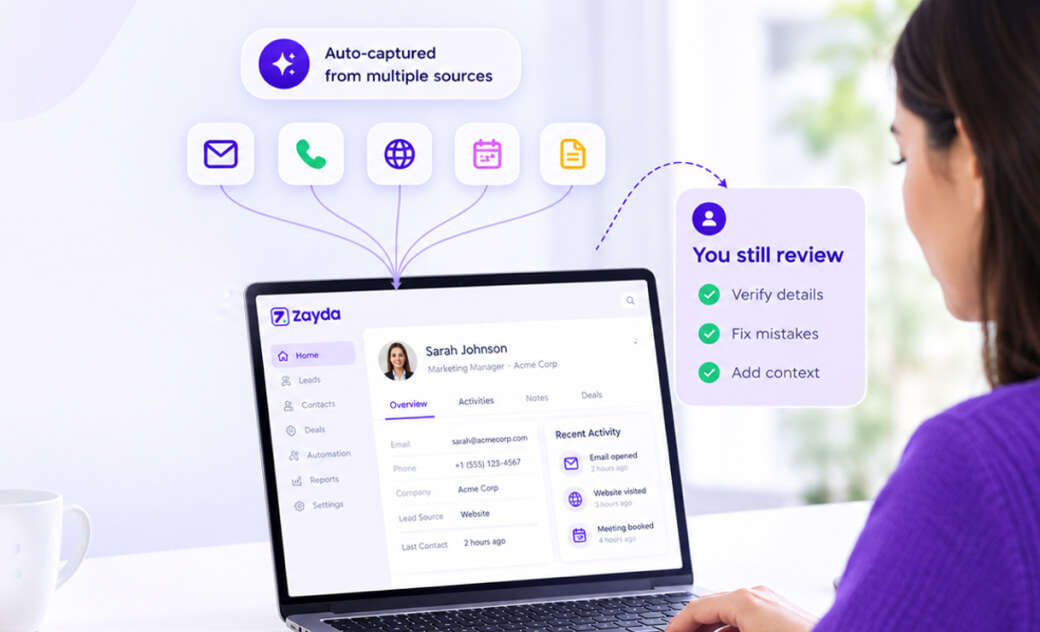
The phrase CRM without manual data entry does not mean people never touch the CRM again. Reps still review records, correct mistakes, and add context a system cannot pick up on its own.
What changes is where the effort goes. Instead of typing in every detail from scratch, a rep reviews information the system already captured. That shift, from creating records to checking them, is what most people mean by this phrase.
This distinction matters for anyone evaluating a new platform. A CRM that removes typing but still demands constant review has not solved the real problem. The goal is less unnecessary repetition, not zero human involvement.
AI CRM vs Traditional CRM: Where They Differ
The clearest way to see the shift is to compare how each type of CRM handles the same tasks. Neither approach requires exotic technology. The real difference shows up in what happens right after a call ends.
| Task | Traditional CRM | AI CRM |
| Data entry | Manual, after each interaction | Captured automatically from activity |
| Lead capture | Logged by a rep or a form | Captured and routed instantly |
| Follow-up | Set manually, often forgotten | Created from conversation content |
| Meeting notes | Written from memory afterward | Summarised automatically |
| Pipeline updates | Dragged and updated by hand | Updated from calls and emails |
| Sales visibility | Depends on how current data is | Reflects real, recent activity |
| Admin workload | Higher, spread across the day | Lower, concentrated on review |
| Team adoption | Often inconsistent across reps | Easier, since less effort is needed |
An AI-powered sales CRM does not remove the need for a good sales process. It changes how much manual effort that process requires to stay accurate.
Why AI-Native Design Matters
Adding an AI feature to an existing CRM is different from designing one around automation from the start. A bolted-on feature usually solves one task, like summarising a single call.
This is what people mean by an AI native CRM. Automation is part of the core workflow, not a separate tool layered on top. Lead capture, conversation tracking, and pipeline updates are designed to work together from the start.
The practical difference shows up in daily use. In a system built this way, a rep rarely needs to switch between tools. Information that should already be linked usually is.
A Practical Example: From Lead to Follow-Up
Consider how a lead might move through this kind of system.
- A lead fills out a form or messages the business directly.
- The system captures their contact details immediately.
- An initial response goes out without waiting for a rep to log in.
- The conversation that follows, whether a call or a chat, gets recorded.
- Key details from that conversation are summarised automatically.
- The pipeline updates to reflect the deal’s real status.
- A follow-up task is created based on what was discussed.
At each step, a rep either checks the outcome or makes a judgement call. The manual part of the process, typing everything in by hand, is what disappears.
What to Look for in an AI CRM
Businesses evaluating platforms should look past the label and check what the system actually automates. A few practical questions help:
- Does it capture leads automatically from the channels you use?
- Does it track email, call, and message activity in one place?
- Are conversation summaries accurate and easy to review?
- Does pipeline automation reflect real activity, not manual triggers?
- What integrations does it support with tools you already use?
- How is customer data secured, and is it ever used for advertising?
- Can pipelines and stages be customised for your process?
- Is the interface simple enough for the whole team to adopt?
- Does reporting give a clear, current view of performance?
None of these questions require deep technical knowledge to answer. A short product demo usually makes the differences clear. From there, the right answer depends on team size, sales process, and how customers actually reach out.
How Zayda Fits This Shift
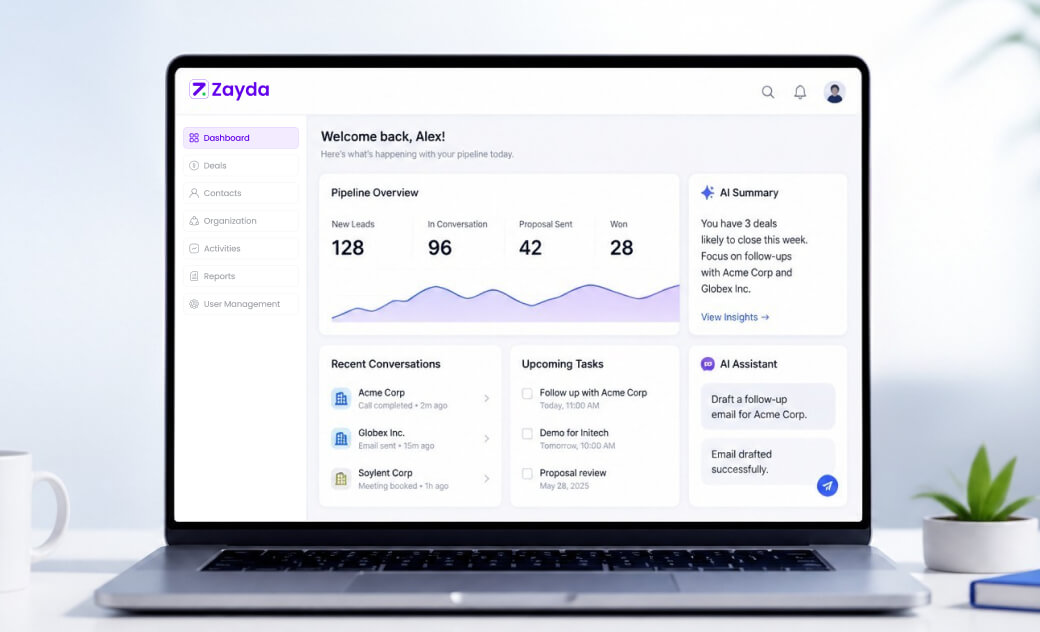
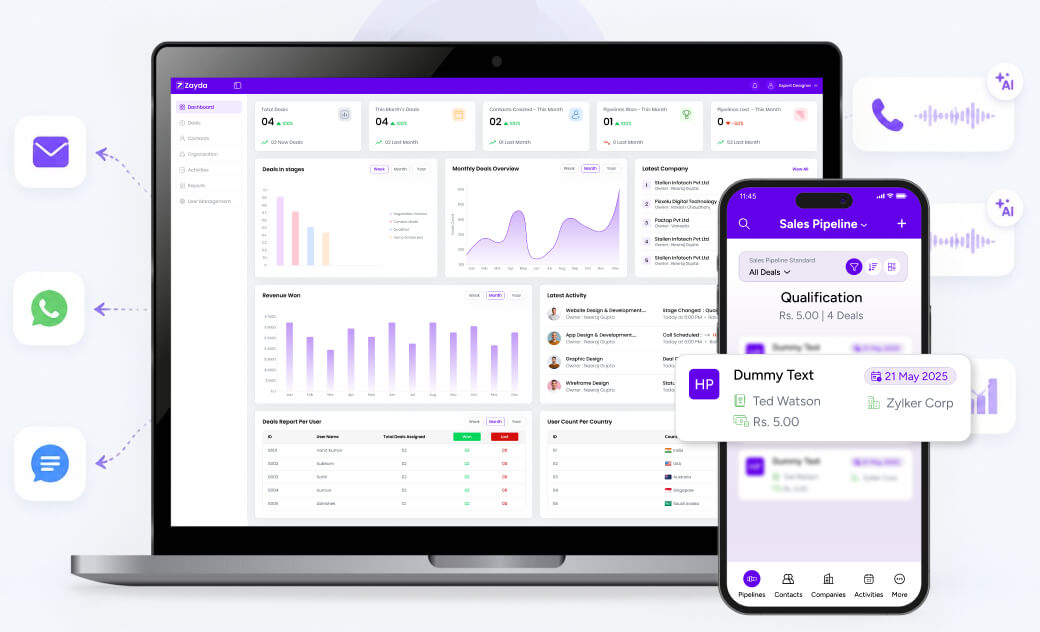
Zayda is built as an AI-native sales CRM, with automation designed into the core workflow rather than added on afterward. When a new lead arrives, Zayda can respond by email, WhatsApp, and SMS. An AI follow-up call comes next, while the enquiry is still fresh.
Calls and conversations are recorded and summarised, and that activity can update the pipeline automatically. Leads, deals, calls, and reporting sit in one dashboard, with custom pipelines for different teams. Reps stay in control of tone and hand-off, while the administrative side runs in the background.
This is one practical example of the shift covered throughout this article. It is a CRM designed to keep up with sales activity. It does not depend on someone remembering to update it.
Final Thoughts
The move from CRMs you fill in to CRMs that fill themselves is really a shift in where effort goes. Manual entry does not disappear completely, but it stops being the default way records get updated.
For sales teams, this means less time reconstructing conversations and more time having them. For managers, it means pipeline data that reflects what actually happened, not just what got typed in before someone forgot. Choosing the right platform starts with understanding that distinction clearly.
Frequently Asked Questions
What is an AI CRM?
An AI CRM is a customer relationship management system that uses artificial intelligence. It automates tasks like lead capture, conversation summaries, and record updates.
How does a self-updating CRM work?
It uses calls, emails, and messages to update records automatically. Instead of a rep typing in details afterward, the system captures and organises them as they happen.
Can AI actually reduce manual CRM data entry?
Yes, for many repetitive tasks like logging calls, summarising meetings, and updating pipeline stages. Reps still review and add context, but type far less by hand.
Is an AI CRM suitable for small businesses?
Often, yes. Smaller teams benefit from automation since they usually lack dedicated admin support. Automatic lead response and pipeline updates can matter as much for a small team as a large one.
What should a business look for when choosing an AI CRM?
Look for automatic lead capture, conversation summaries, and pipeline automation tied to real activity. Check integrations, data security, and ease of use too.